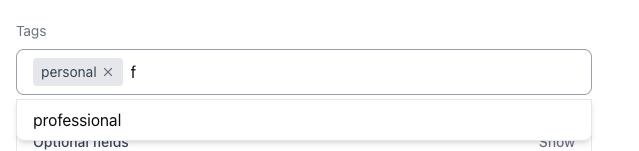
Upgrade the current hardcoded, text-only tagging system into a dynamic, database-driven feature. Users will be able to create custom tags, assign colors, and manage them through a streamlined interface.
1. Data Architecture & Performance
We are introducing @tanstack/react-query to handle data fetching and state management for tags.
- Instant Access: Tags are fetched from the server once and cached globally in the background. When a user opens the tag picker, the data loads instantly without spinning indicators.
- Automatic Syncing: Whenever a user creates, edits, or deletes a tag, the system automatically invalidates the cache and fetches fresh data. This ensures every component displaying tags updates simultaneously without manual state wiring.
- Data Model Shift: The system will no longer store tags as simple arrays of text strings. Instead, it will use universally unique identifiers (UUIDs) linked to a robust
Tagobject containing anid,name, andcolorhex code.
2. New User Interface Components
The user experience revolves around two new primary components built with shadcn/ui.
- TagPickerDialog: A central, searchable modal where users can select multiple tags for a person. It includes built-in commands:
- Inline Creation: If a user searches for a tag that does not exist, a "Create tag" option appears.
- Inline Editing: Users can rename tags or change their colors directly from the list via a dropdown menu.
- Inline Deletion: Tags can be permanently deleted with a lightweight confirmation prompt.
- TagBadge: A unified visual component displaying the tag's name alongside a small color indicator dot. This will replace the plain gray text chips currently used across the app.
3. Smart Color Assignment
When a user creates a new tag, they are not forced to manually pick a color. The system uses a getNextColor() utility to automatically assign a color from a predefined 10-color palette. It intelligently selects the least-used color in the user's current tag list to maintain visual variety.
4. Form and API Integration
The existing Add and Edit forms will be rewired to support the new UUID format.
- Smart Payloads: The frontend will only send tag data to the server if the user explicitly modified their tags, reducing unnecessary database writes.
- Clean Data: If a user clears all tags from a profile, the system sends an empty array to safely wipe the connections on the backend.
5. Safe Data Migration
Because the app currently caches older text-based tags in the browser's local storage, we are adding a migration guard. When the app loads, it will detect out-of-date string arrays, clear them, and gracefully wait for the new API to populate the correct, color-coded Tag objects. This ensures the app will not crash for returning users who have old data saved on their devices.